Wanna Win? Doya? Doya?

posted on: Saturday, March 5, 2011

Hey Friends! So I am hanging out here today doing a nifty lil' Spunky Junky giveaway. The fan-tab necklace above could be yours. True dat.

eskimo kisses from the frozen land.

Feature Friday Linky Up Party

posted on: Friday, March 4, 2011

Well, it is another Feature Friday friends!!! The boys are out fishing while my favorite chicka and I sit inside unthawing our lil piggies! So link up all those projects so I have something to drool over while I defrost.

And as a friendly reminder...

*Link to a specific post, not your homepage, or a giveaway.
*Post something that you have done recently (last month or so)
*Check out the other lovelies and give them some sugar! Everyone loves comments and compliments.
*Grab my button and put it somewhere on your blog!
*Come back on Sunday to check out the featured posts!


The most awkward feeling in the world....

So there are alot of "awkward" moments in life

Using the public bathroom with someone else in the next stall...awkward
Having a conversation with my OB-GYN during..um, yeah...awkward
Calling someone by the wrong name--for a year....awkward
Thinking I am being checked out, only to realize I had food in my teeth...awkward
People picking their shnauzes in public...awkward
Having a wedgy in public...more uncomfortable then awkward.
 Putting on my boots 356 MILES FROM CIVILIZATION to only find out that they are TWO different sizes....awkward and uncomfortable....and I have to wear them for 3 days. Folks, this will be a memorable weekend.

Plus I get to spend the next three days with my two favorite snow bunnies...

AND check out our digs for the weekend..we rollin'...except for no cell service.

Yeah, we're gonna be best friends...

posted on: Thursday, March 3, 2011

Punk has started to watch movies. Nemo has become the best baby sitter...EVER. In T minus two hours Hunk and I leaving to go on a mini-vacae for his birthday. Nothing to exciting...really, not joking. Hunk wanted to go ice fishing, I wanted to do the palm tree thing. I lost. So we are venturing not north or south, but east. Have you ever been to eastern Montana? No. Well, if you haven't been there well there is a lot of nothing. Truly. Lots of manly nothing. It's Hunk dream vacation.

So while I am so excited to get away for a few days I am even more excited about a sweet lil envelope I got in the mail yesterday. I was beside myself with excitement...I was like an excited little yappy dog.
 The Pioneer Woman is coming to Montana...and I got VIP tickets to see her! gasp, cry, pee a little...I may have done all of them. TMI? sorry.

 I know when we meet our eyes will meet Ree and I will instantly become best friends. Yeah, I am pretty certain that is how it will go down....or not....

 So I also get a new hat. Remember Jane Henry? Celia made this lovely for me...it also has a detachable crocheted flower that goes with it.
And because I have to sit in the cold for two days ice fishing I treated myself to a new pair of boots. Houndstooth Sorels...yeah...you gotta be stylish when on the ice, it's the only way to remain sain in the -10 degree weather.

Peaceloveskisses.


{Tutorial Tuesday} Make a Banner/Header/Title

posted on: Tuesday, March 1, 2011

Okeey-dokee friends! I finally got my thoughts together and decided to give you the 4-1-1 on how I designed my header. This is goood stuff, really good stuff. It is a bunch of ramblins from a crazy chick who doesn't know a lot about Photoshop but then decided to write a tutorial on it....kinda.

So I hope we're still friends after you read this...

How to make a blog header in Photoshop

Open Photoshop (I use CS4)
1. File>New (You will now have a nice pretty white box on your page)
2. Image>Image Size
3. I put my width at 1000 (this may be different for you depending on what your blog width may be...)
4. Press the letter "T" so that you can now play around with the text. Then choose your text and begin writing in the white box. (The text is located at the top left of the page)

5. Ckick anywhere in the white box and start typing, if you can't see the word, well, the font is probably in white so go to the right side of the page and change the color.

6. After I typed "Spunky" I then wanted to write "junky" but I wanted to place it at a different level on the page. So I pressed Ctrl J. This created a duplicate layer. It basically, made "Spunky" and "Junky" two seperate pieces--so I couls adjust them seperately (different font, different size, different color, etc).

7. I then wanted a different color. To adjust the color I played around with the swatches on the right side of the page. Here are my colors...
Turquoise Color
R-0
G-178
B-188
Green Color 
R-138
G-182
B-63
8. I then made one more layer (Ctrl J) and this time I typed out my saying, "Giving everyday junk a little spunk." I also changed the font, lettering, size, and color.
Gray Color
R-99
G-99
B-99

9. Finally, I opened up my Pioneer Woman Actions and I flattened the image.
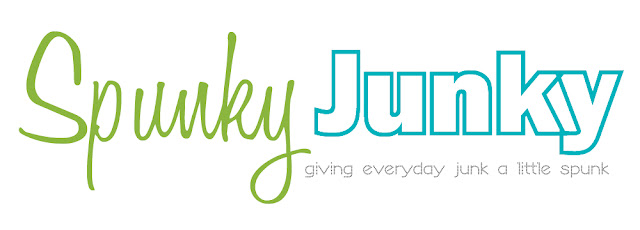
10. When I finished I save my lil image to my desktop as a .jpeg.
11. Then I logged into blogger and replaced my header with the image above...easy peasy folk, easy peasy!

And as an extra bonus for my favorite readers here are the fonts that I used on Spunky Junky. Yep, I am sharin' my deepest, darkest secrets with ya.


Spunky Junky All rights reserved © Blog Milk Powered by Blogger